
Mul10 PROSAFE QR system
Make quality assurance easy and straightforward
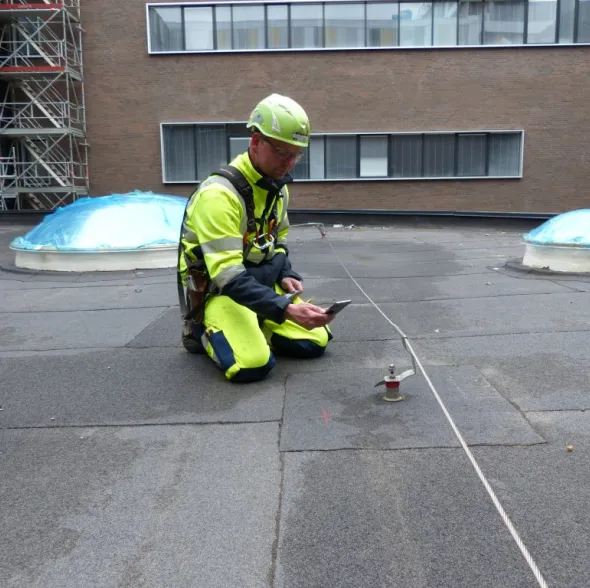
With the unique QR codes on Mul10 ProSafe devices, installers can register fall protection systems and safety feet directly on the roof with a smartphone or tablet.
The benefits of our QR System
- Paperless
- Easy to create projects
- On-site documentation
- Automatic service monitoring
Administration module
You can then track the company's installed systems online via an administration module - you can also easily create projects and generate the necessary documents for documentation and quality assurance. The administration module provides a clear overview of when the company's installed fall protection systems are due for inspection.
Unique codes
The unique QR codes allow each safety foot to be traced from production to installation and inspection. If the code is scanned on an installed safety foot or fall protection system, the user will receive the necessary information about: date of installation, whether the inspection deadline has been exceeded, whether the system is safe to use, the responsible company, contact information, etc.
.png)
Documentation work
In addition to minimizing the "paperwork" for the installer, the QR system will improve the quality of the documentation material for consultants, architects and clients.
Access for consultants and clients
Access can be granted to the consultant, client or third party so that they can follow the installation work as it progresses, retrieve the relevant documentation, view inspection dates, etc. via phone or computer.

Didn't find what you were looking for? Or do you need advice?
Rasmus Møller Christiansen
Technical Support QR
I'm ready to advise or answer any questions you may have. Give me a call or send me an email.
Sign up for our newsletter
and get updated on new products, regulations, prices and more.

